

An EMR audit trail is a time-stamped log of who accessed or changed an electronic medical record, what they did, and when. In a behavioral health EMR platform, it’s the evidence you use to show HIPAA audit controls work, investigate misuse, and answer payer or accreditation requests.
Behavioral health programs carry an extra layer: substance use disorder (SUD) records covered by 42 CFR Part 2 come with consent and disclosure rules HIPAA alone doesn’t impose. Below, you’ll find what your audit trail should capture, how long to keep it, and how to review it under U.S. federal rules, which state law can add to.
TL;DR: An EMR audit trail logs who touched a record, what changed, and when. HIPAA requires you to record and examine that activity, and Part 2 adds consent and disclosure tracking for SUD records. Review logs on a set schedule and protect them from edits.
Key Takeaways
- HIPAA requires audit controls: 45 CFR 164.312(b) requires mechanisms that record and examine activity in systems that contain or use electronic PHI. Capturing logs nobody reviews falls short of that standard.
- Part 2 adds disclosure detail: Since February 16, 2026, Part 2 programs must follow the 2024 final rule, including a single consent option for treatment, payment, and operations and a consent-scope statement with each consented disclosure.
- Six years is a documentation rule: HIPAA requires you to keep required Security Rule documentation for 6 years. It doesn’t set a separate log-retention period, so many organizations keep logs at least that long and follow longer state rules.
- Review on a written schedule: Pair real-time alerts for high-risk events with daily, weekly, and monthly reviews, and document each review and follow-up.
- Correct with addenda, never overwrites: Preserve the original entry and link a dated, attributed amendment to it.
- Make logs tamper-evident: Append-only storage, integrity checks, and restricted export rights help you show logs haven’t been altered.
What an EMR Audit Trail Records
An EMR audit trail captures metadata about access and changes, not the clinical content itself. It answers who did what, when, and from where, which is a key benefit of using EMR software over paper charts.
Core fields include user ID and role, timestamp, action type (view, create, edit, delete, print, or export), record ID, before-and-after values for edits, device or IP address, and login success or failure. Many systems can also capture a session ID and a reason-for-access prompt on sensitive charts.
Common reports include per-user activity summaries, per-patient access timelines, export logs, and failed-login queues. The HIPAA audit controls standard at 45 CFR 164.312(b) calls for “mechanisms that record and examine activity” in systems holding electronic PHI.
The word “examine” is where many programs fall short. A log that’s captured but never reviewed gives you little to show an auditor, so build review into your process from day one.
Audit Log Field Reference
| Field | What It Captures | Why It Matters |
| User ID + Role | Who performed the action | Establishes accountability and role-appropriateness |
| Timestamp | Exact date and time of event | Creates evidentiary timeline for investigations |
| Action Type | View, create, edit, delete, export | Distinguishes read access from record modification |
| Record/Patient ID | Which record was touched | Links action to specific patient for targeted review |
| Before/After Values | Field-level change detail | Proves what changed and enables record reconstruction |
| Device / IP Address | Source of access | Flags unexpected locations or shared credentials |
| Export Format | CSV, PDF, syslog | Documents what data left the system and in what form |
| Login Status | Successful or failed | Surfaces brute-force attempts and unauthorized access |
| Session ID | Groups every action in one login session | Ties scattered events into one timeline during an investigation |
| Reason for Access | User-selected justification on sensitive charts, where supported | Gives reviewers context and flags out-of-policy viewing |
Why Audit Trails Matter for Compliance and Security
EMR audit trails are the primary record showing your access controls work. They give HIPAA assessors, accreditation surveyors, and payer auditors the timestamped evidence they ask for when verifying privacy and security practices.
They also support data access governance: deciding who should see which records and for what purpose, then checking the logs to confirm access matched that plan. Exceptions become review items, and patterns in those exceptions point to training gaps or permissions that are too broad.
OCR’s enforcement record shows what’s at stake. In 2017, Memorial Healthcare System paid $5.5 million to settle potential HIPAA violations after OCR found a former employee’s login credentials had been used to access ePHI daily for about a year without detection, and OCR stressed regular audit log review in announcing it.
Audit logs reduce risk only when paired with retention policies, role-based access, active monitoring, and a documented incident response plan. A log that isn’t reviewed, retained, or producible on demand offers limited protection when an inquiry arrives.
42 CFR Part 2: Heightened Audit Trail Requirements for SUD Providers
Behavioral health organizations that treat substance use disorders operate under two overlapping federal frameworks: HIPAA and 42 CFR Part 2. How they interact shapes what your EMR audit trail needs to capture.
HHS, through SAMHSA and the Office for Civil Rights, published the current Part 2 final rule on February 16, 2024. It took effect April 16, 2024, and programs had to comply by February 16, 2026, so its requirements now apply in full.
What Part 2 Adds to Your Audit Obligations
Part 2 still requires patient consent for most disclosures of SUD treatment records, including disclosures for treatment, payment, and health care operations (TPO). What changed is that one consent can now cover all future TPO uses and disclosures, and HIPAA covered entities that receive records under it may redisclose them as HIPAA allows.
The HHS fact sheet on the Part 2 final rule adds two details that matter for logging. Each consented disclosure must include a copy of the consent or a clear explanation of its scope, and SUD counseling notes need their own separate consent.
Configure your audit trail so you can show, for any disclosure:
- Which consent it relied on, including consent type (single TPO consent, SUD counseling notes, or other) and its date
- Who received the records, for what purpose, and when
- That the consent copy or scope statement, plus the notice Part 2 requires with consented disclosures, went with the records
- Whether the patient revoked consent, and when, so later disclosures can be checked against it
The rule doesn’t require you to segregate or segment Part 2 records. Your staff still need to know which records are covered, so most teams flag them rather than store them separately.
Patients also gained a Part 2 right to an accounting of disclosures. HHS hasn’t set its compliance date yet, since it waits on a matching HIPAA Privacy Rule change, but capturing disclosure detail now saves rebuilding logs later. For a wider view, see our guide to audit-ready compliance documentation.
How EMR Audit Trails Support Payer Audits (RAC and MAC)
Recovery Audit Contractors (RACs) and Medicare Administrative Contractors (MACs) review Medicare claims, and state Medicaid programs run their own audits. When documentation timing is in question, reviewers may ask for audit trail data showing when notes were created and changed.
Investigators use audit logs to check that documented services match billed claims. They look for notes completed on or near the service date, evidence that the treating clinician accessed the chart, and edit patterns that suggest retroactive documentation.
The workflow behind internal audit reports in behavioral health carries over directly to payer audit preparation.
What Payer Auditors Look For in Your Logs
| Audit Signal | What Investigators Check | Risk If Missing |
| Service date vs. note timestamp | Was documentation completed on or near the date of service? | Retroactive documentation finding |
| Clinician access to record | Did the billing provider access the chart on service date? | Unsupported billing claim |
| Edit frequency after claim submission | Were notes edited after billing? | Potential upcoding or fraud indicator |
| Export log | Was the record exported before or after audit notice? | Evidence-handling concern |
| User role vs. record accessed | Does the accessing role match the service type billed? | Role mismatch finding |
Keeping exportable, tamper-evident logs organized by date range and user can shorten the time your billing and compliance teams spend on payer data requests. For behavioral health compliance program development, put audit trail readiness on your annual compliance calendar, not just in your incident response plan.
How to Detect Unauthorized Access and Misuse
EMR audit trails show who accessed which records and when, which helps your team spot misuse early and contain it. Correlating audit events with scheduling and billing data narrows the review and shortens detection time.
Common warning signs include logins at unusual hours or from unexpected locations, large exports, repeated failed logins, access to charts outside a staff member’s caseload, and new devices on an account.
Use a layered review so the riskiest events reach someone fastest:
- Real-time alerts for high-risk events, such as bulk exports or after-hours access to Part 2 records.
- Daily triage of new devices, new IP addresses, and access outside assigned programs.
- Weekly trend review of users whose patient panels keep growing and edits made after claim submission.
- Case correlation with HR status, schedules, and billing to rule out false positives before escalating.
Set thresholds from your own data rather than borrowed numbers. Pull 30 days of logs, see what normal looks like for each role, and tune alerts from there.
Common Audit Events and How to Respond
| Event | Why it matters | Trigger to baseline locally | Typical first response |
| Failed logins | Possible credential guessing or a locked-out user | Burst of failures on one account or IP | Lock the account, confirm with the user, check the source |
| High-volume chart views | Possible snooping or data gathering | Views of many unrelated charts in one session | Confirm purpose with the manager |
| Edits after claim submission | Possible retroactive documentation | Note changes after a claim goes out | Compliance review of the note and claim |
| Exports of Part 2 records | Disclosure risk for SUD records | Any export of flagged records | Verify consent and recipient |
| New device or location | Possible shared or stolen credentials | First login from a new device or region | Confirm with the user |
| Access by departed staff | Account not deprovisioned | Any login after a termination date | Disable the account and review its activity |
Correcting EMR Entries Without Creating Legal Exposure
Altering or deleting electronic medical record entries damages auditability, creates evidence-spoliation exposure, and can prompt regulatory, licensing, or criminal inquiries. The accepted approach uses addenda or amendments that preserve the original entry for the EMR audit trail.
Accepted EMR audit trail correction methods require that you never delete or overwrite the original entry within the health information system. Record the reason for the correction, the author making the amendment, and an accurate timestamp. Keep the original and amendment explicitly linked so reviewers can follow the complete record history without ambiguity.
For changes made after a payer or government inquiry has begun, preserve audit logs immediately and capture a clear timeline of when the change was made and why. For practical guidance on documentation integrity and audit readiness, our tips for conducting a medical records audit cover this intersection directly.
Transparent, prompt corrections with a documented rationale are treated very differently than retroactive edits that obscure facts, for both internal reviewers and regulatory investigators.
Retention, Review Cadence, and Access Controls
EMR audit trails need written policies to work. Start with a retention table that maps each record type to its retention period and an owner.
Retention: HIPAA requires you to keep required Security Rule documentation, such as policies and records of reviews, for 6 years from creation or last effective date. It doesn’t name a separate period for raw logs, so many organizations keep logs at least 6 years and apply longer state or contract rules where they exist.
Legal holds: When litigation, a payer dispute, or a government inquiry is likely, suspend routine deletion for the affected logs. Audit trails are often requested in malpractice and billing disputes, and a deleted log is hard to explain.
Role-based access: Grant access by job role and documented need. Use time-limited elevated access for admin tasks, and log every privilege change with the approver and duration. Our behavioral health compliance checklists treat quarterly access reviews as a practical cadence.
Separation of duties: Give auditors read-only roles, restrict export rights, and require a second approver for bulk exports. Route subpoenas and payer data requests through legal and compliance before release, and document chain of custody for anything you produce.
Example Review Cadence for Audit Logs
Adapt this cadence to your organization’s size and risk.
| Activity | Example trigger or scope | Suggested cadence | Typical owner |
| High-risk alert response | Bulk export, after-hours Part 2 access | As alerts fire | Security or compliance on call |
| Exception triage | New device or IP, failed-login bursts | Daily | Compliance analyst |
| Trend review | Growing patient panels, post-claim edits | Weekly | Privacy officer |
| Access recertification | Role-to-record alignment, departed staff | Monthly or quarterly | Managers with compliance |
| Control testing | Test events, alerts, and exports end to end | Quarterly | Compliance lead |
| Policy and retention review | Retention table, legal holds, cadence itself | Annually | Compliance and legal |
Technical Design: Tamper Resistance, Storage, and Export
Designing an EMR audit trail for behavioral health means balancing integrity, compliance, and cost. Use append-only or write-once storage and cryptographic checksums so changes to logs are detectable, and forward log streams to a security information and event management (SIEM) tool for alerting.
Strengthen integrity with a few added controls:
- Immutable storage options with retention settings that block early deletion
- Hash chaining, where each log entry includes a fingerprint of the one before it
- Synchronized, trusted time sources so timestamps line up across systems
- Export manifests listing who exported what, when, and with which checksums
- Least-privilege service accounts for the systems that move logs
Encrypt logs at rest and in transit, and log who accessed or exported the logs themselves. Build redaction workflows that remove PHI before sharing reports outside your organization.
High-fidelity logging raises storage costs. Control them with tiered storage that moves older logs to lower-cost archives rather than by sampling events, since skipped events leave gaps in the record.
When evaluating vendors, ask about immutability, export and redaction features, encryption standards, SIEM integrations, and log retention terms.
Enabling and Configuring Audit Logs in Your EMR
Start in your admin or security console and confirm who can view and export logs. Depending on your platform, look under Security, Compliance, or System Administration.
Configuration checklist:
- Turn on audit logging for every module that holds PHI, including APIs and integrations.
- Confirm event types (view, create, edit, delete, print, export, login) and field-level change capture.
- Add reason-for-access prompts on sensitive charts, such as Part 2 records and minors, if your system supports them.
- Route alerts to named owners with after-hours coverage.
- Set retention, immutability, and legal-hold steps.
- Create a read-only auditor role and restrict bulk exports.
- Document settings, owners, and review cadence in policy.
Before go-live, create, edit, and export a test chart, then confirm each event appears with correct timestamps, user IDs, and before-and-after values. Trigger a failed login and an after-hours access to make sure alerts fire.
For the wider set of safeguards, work through our EMR HIPAA compliance checklist before going live.
What’s Changed Since 2024, and What Hasn’t
The core HIPAA requirement hasn’t moved: you still need audit controls that record and examine activity in systems holding electronic PHI. What has changed is the Part 2 layer on top of it, plus a proposed Security Rule overhaul that isn’t final.
Part 2 Is Now Fully Enforceable
The February 16, 2026, compliance date has passed, so the 2024 Part 2 rule applies to every Part 2 program. For audit trails, the practical shift is from “did we get consent?” to “can we show which consent covered each disclosure, and what went with it?”
Programs that switched to a single TPO consent need logs that tie each disclosure to that consent and show when a revocation took effect. SUD counseling notes need their own consent trail, separate from the TPO consent.
The accounting-of-disclosures right is on the books, but HHS hasn’t set its compliance date. Logging recipient, purpose, date, and consent reference now means you won’t have to reconstruct that history when the date arrives.
The HIPAA Security Rule Overhaul Is Still a Proposal
HHS proposed broad Security Rule changes in January 2025. As of HHS’s mid-2026 regulatory agenda update, the final rule moved to its long-term list with a projected date of July 2027, and the current Security Rule remains the one you’re measured against.
Treat the proposal as a signal, not a requirement. If your audit-trail program is solid under today’s rule, you’ll be adapting rather than rebuilding if a final rule arrives.
Use NIST SP 800-66 Rev. 2 as Your Playbook
The National Institute of Standards and Technology (NIST) published SP 800-66 Revision 2 in February 2024 as its guide to implementing the HIPAA Security Rule. It maps Security Rule standards, including audit controls, to the NIST Cybersecurity Framework and SP 800-53 controls.
For a compliance team, that mapping turns “record and examine activity” into concrete tasks: what to log, how to protect logs, and how often to review them.
Shift From Capture-Everything to Risk-Based Review
Most EMRs already capture a lot. The gap is usually review, because no one can read every event.
Risk-based review sets alert depth by sensitivity. A routine chart view during a scheduled session may only need to be logged, while an after-hours export of Part 2 records should page someone right away.
Pair that with data access governance, the practice of defining who should see which records and checking logs against that definition. Exceptions go into a queue, and recurring exceptions tell you where training or permissions need work.
Plan for Audit Trails as Evidence
Audit trails increasingly show up in malpractice claims, payer disputes, and employment matters, because they reveal when notes were written and changed. Courts and opposing counsel may request them, so treat preservation as part of your program.
Build legal holds into your retention policy, keep chain-of-custody records for every export, and make sure corrections follow your addendum process. A clean, well-documented trail protects your team as much as it exposes problems.
A 90-Day Plan to Tighten Your Program
- Days 1 to 30: Confirm logging covers every PHI module, API, and integration, and that Part 2 disclosures record consent type, recipient, purpose, and date.
- Days 31 to 60: Set alert tiers, route them to named owners, and lock down bulk exports with a second approver.
- Days 61 to 90: Turn on integrity controls, write your legal-hold steps, run a full test of events and alerts, and document the results.
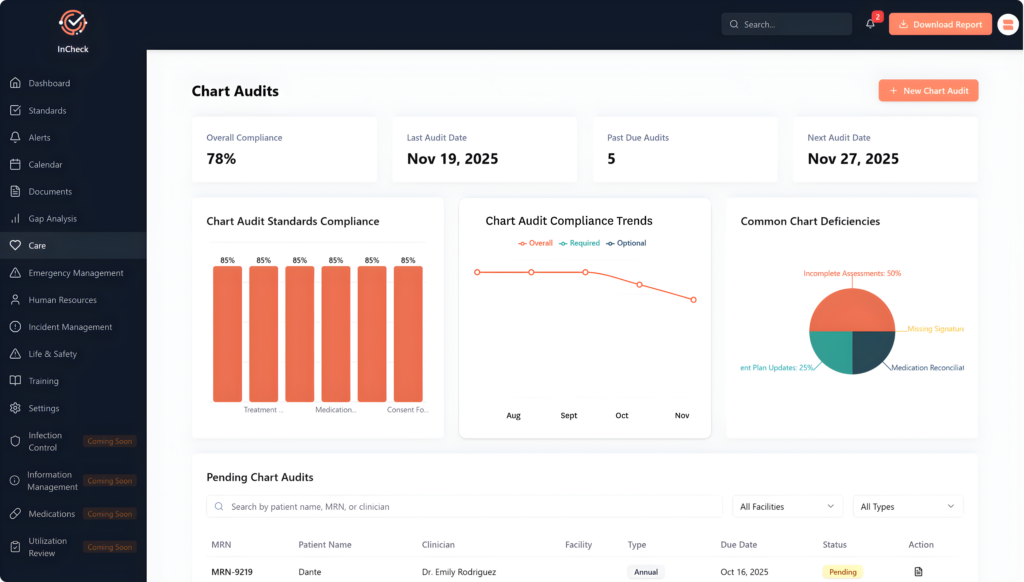
Tools like InCheck, Alleva’s GRC platform for behavioral health, can help you track reviews, corrective actions, and policy owners in one place, so review evidence is ready when a surveyor asks.
See Audit Controls in Action
Understanding how EMR audit trail logging, role-based access, and compliance reporting work together in a behavioral health-specific platform can help your organization move from policy documentation to operational readiness. Request a Demo to walk through Alleva’s audit and compliance capabilities with your team.
Frequently Asked Questions
What is an EMR audit trail and why is it required?
An EMR audit trail is a time-stamped log of system activity on patient records and user access. HIPAA requires it because 45 CFR 164.312(b) calls for mechanisms that record and examine activity in systems holding electronic PHI. For SUD programs, 42 CFR Part 2 adds consent and disclosure tracking on top of that baseline.
What specific fields does an EMR audit trail record?
Typical fields include user ID and role, timestamp, action type (view, create, edit, delete, print, export), patient or record ID, before-and-after values for edits, device or IP address, and login success or failure. Depending on configuration, systems may also capture session ID, reason for access, and location.
Does an audit trail record who viewed a chart, or only changes?
A complete audit trail records views as well as changes. HIPAA’s audit controls standard covers activity in general, not just edits, and read-only access is often what reveals snooping. Confirm that your system logs views, prints, and exports, since some configurations capture edits only by default.
Does HIPAA say how long to keep audit logs?
Not directly. HIPAA requires you to keep required Security Rule documentation, including policies and records of reviews, for 6 years. It sets no separate period for raw logs, so many organizations keep logs at least 6 years, follow longer state or contract rules, and document that choice in policy.
Who should review audit logs and how often?
Reviewers usually include your privacy or compliance officer, security or IT staff, and an operations lead for billing-related cases. A common pattern is real-time alerts for high-risk events, daily exception triage, weekly trend reviews, and quarterly access recertification. Document each review and what you did about it.
Can audit trails be used as legal or payer evidence?
Yes. Audit trails are routinely requested in malpractice cases, payer audits, and government investigations because they show when records were created and changed. Admissibility depends on integrity and chain of custody, so keep clear export procedures, legal-hold steps, and records of how each log was produced and preserved.
Can patients request a copy of their audit trail?
HIPAA has no standalone right to an audit trail; HHS proposed an “access report” right in 2011 but never finalized it. Patients can request an accounting of certain disclosures, and Part 2 added a similar right whose compliance date HHS hasn’t set yet. Audit trails can still be requested in litigation.
How do we correct an EMR entry without creating legal exposure?
Use an addendum or amendment that states the correction, the reason, who made it, and when. Never overwrite or delete the original. Keep the original and the amendment linked so reviewers can follow the full history without guessing what changed.
Are audit logs tamper-proof?
No log is immune to tampering if someone has improper access. You can make changes detectable by storing logs in append-only or write-once storage, forwarding copies to a SIEM, applying cryptographic checksums, logging access to the logs themselves, and limiting export and deletion rights to named roles.
Does 42 CFR Part 2 change what our audit trail needs to log?
Yes, for disclosures. Under the 2024 final rule, now in full effect, each consented disclosure must include the consent or a clear explanation of its scope, and SUD counseling notes need separate consent. Your logs should tie each disclosure to its consent, recipient, purpose, date, and any revocation.
Disclaimer: This content is for informational purposes only and does not constitute legal advice. Always consult with your organization’s legal counsel and compliance officer.
Last updated: October 29, 2026

Erica Ward is a Product Manager at Alleva.