

Therapy notes software for behavioral health connects clinical documentation, scheduling, and billing in one record so your team can document faster, protect client data, and keep revenue moving.
You will learn what these platforms replace, how documentation and treatment plans support audit readiness, and which practice management and revenue cycle management (RCM) features reduce administrative time. You will also see realistic pricing tradeoffs, the security controls to require, and the interoperability and migration questions that protect your data. For the full comparison, see our choosing behavioral health software.
Key Takeaways
- Match the platform to behavioral health, not general practice: Confirm support for 42 CFR Part 2 confidentiality, group and individual note formats, and multiple National Provider Identifiers (NPIs) before you shortlist.
- Documentation drives everything downstream: Structured notes with DSM-5 coding feed billing, outcomes, and audit trails, so usability has a direct revenue and compliance impact.
- Ambient AI is the 2025–2026 shift: Ambient clinical intelligence can draft session notes in real time, but require mandatory clinician review before anything enters the legal record.
Ready to see how a behavioral-health-specific platform handles these requirements? Schedule a personalized demo to walk through your own workflows.
What Therapy Notes Software Does And Who Needs It
Therapy notes software centralizes progress notes, treatment plans, scheduling, and billing into a single record so you can simplify workflows and maintain audit trails. Purpose-built behavioral health EMR software connects intake, treatment, compliance, and revenue workflows for addiction and mental health programs. The goal is fewer disconnected systems and one current version of each client record.
Typical users include private therapists, group practices, addiction treatment centers, and multidisciplinary behavioral health teams. A multi-site program, for example, can share one treatment plan across clinicians, billing, and quality teams so nothing falls through the cracks.
The outcomes you should expect are faster documentation, stronger audit readiness, and integrated billing that can reduce administrative work. Getting documentation, scheduling, and billing in one place also prevents the recurring question of which spreadsheet is current.
These platforms replace paper charts, scattered spreadsheets, and separate billing systems. They support the care journey from intake and treatment planning through progress tracking and discharge, making coordination across roles far easier.
Top Therapy Notes Software Solutions to Try
Alleva — Best for Behavioral Health Treatment Centers
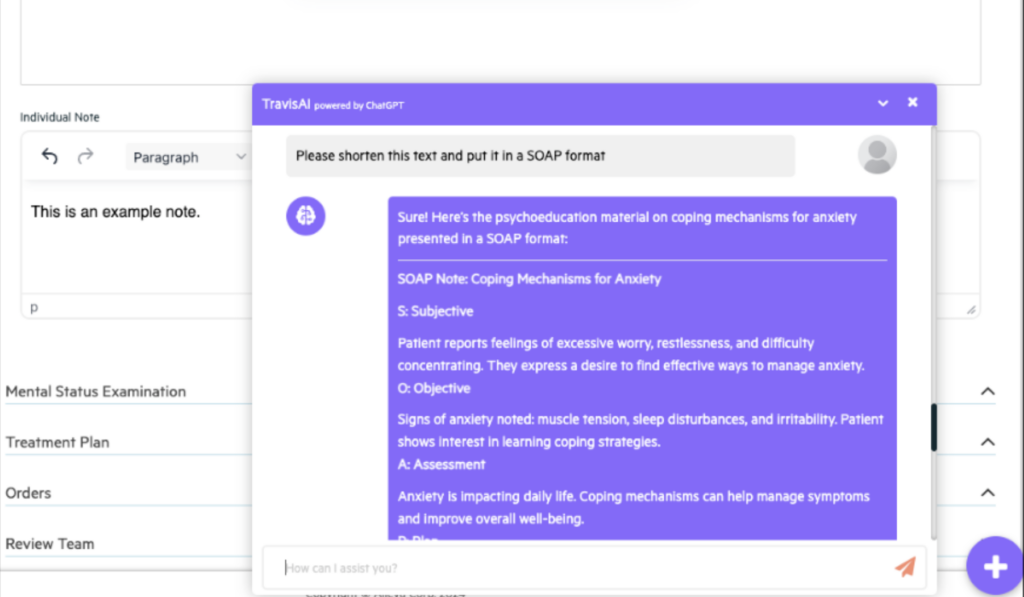
Alleva is an all-in-one EMR/EHR platform built specifically for behavioral health and addiction treatment programs. It combines clinical documentation, billing, e-prescribing, and AI-assisted notes in a single system designed to reduce admin work and keep teams compliant.
Alleva works well for treatment centers because its ambient AI assistant, Echo, listens to sessions and generates audit-ready notes without ever saving the recording.
ALLEVA FEATURES
- Echo ambient AI for audit-ready notes
- Task-based workflow that auto-schedules notes
- Built-in billing and revenue cycle management
- Telehealth, client portal, and e-prescribing
- Open API for custom integrations
Pros
- All-in-one EHR, billing, CRM
- Real-time analytics and dashboards
- E-prescribing with safety alerts
- Customizable, brandable client portal
- Purpose-built for behavioral health
- Strong compliance and onboarding help
Cons
- Might be too advanced for solo practitioners
- Behavioral health focus, not general practice
See a Personalized Alleva Therapy Notes Demo Today
See Alleva for yourself. Book a quick demo and we’ll give you a live walkthrough tailored to your treatment center, covering documentation, billing, telehealth, and the AI tools that cut admin hours. No pressure, just a clear look at whether Alleva fits your team.
Jane App — Best for General Health & Wellness Clinics
Jane is an online practice management platform that handles booking, charting, scheduling, billing, and payments in one system. It serves interdisciplinary clinics, from counsellors and therapists to physios and massage therapists, on any device.
Jane works well for growing clinics because its pricing scales by number of practitioners, so the cost always fits the practice size.
JANE APP FEATURES
- Online booking and automated reminders
- Customizable charting with AI Scribe
- Integrated billing and insurance claims
- In-country data storage for privacy compliance
Pros
- Beautiful, intuitive interface
- For multi-discipline clinics
Cons
- Not behavioral-health specific
- More than solo note-takers need
- Per-practitioner cost adds up
Note Designer — Best for Solo Therapists
Note Designer is a clinician-built documentation tool that helps therapists write structured progress notes faster using customizable templates. It is not an EHR and never stores client data in the cloud, keeping notes fully in the clinician’s control.
Note Designer works well for privacy-conscious therapists because identifying information never leaves the browser and optional AI is privately hosted and never trains on inputs.
NOTE DESIGNER FEATURES
- Templates for SOAP, DAP, BIRP, and more
- Optional ethical AI for rewriting notes
- Supports 20+ therapy approaches
- Local, encrypted draft storage on your device
Pros
- Strong privacy and data control
- Affordable with unlimited notes
Cons
- Not a full EHR system
- No billing or scheduling tools
- Manual export into other systems
Klarify — Best for Admin Tasks
Klarify is an AI assistant for therapists, named Klara, that handles notes, treatment plans, paperwork, and admin so clinicians can focus on care. It works alongside any EHR or telehealth tool and is HIPAA, PIPEDA, and PHIPA compliant.
Klarify works well for busy clinicians because it generates personalized client worksheets, session prep, and even helps file insurance claims, not just notes.
KLARIFY FEATURES
- AI scribe in your format and voice
- 20+ note formats supported
- Session prep and pattern mind maps
- Insurance claim filing and documents
Pros
- Goes beyond notes to admin
- Works with any EHR
Cons
- Newer, smaller user base
- Session caps on lower tiers
- Not a standalone EHR
Zanda Health — Best for Allied Health Practices
Zanda Health is a platform for allied and mental health practices, covering scheduling, client notes, telehealth, billing, and a client portal. Designed by clinicians, it is one of the few systems with ISO 27001 certification for top-tier data security.
Zanda works well for practices that want everything in one place, since clients can book and pay 24/7 through the online portal while staff manage notes and claims.
ZANDA HEALTH FEATURES
- Telehealth via Zoom integration
- Online booking and automated reminders
- Integrated claiming, billing, and invoicing
Pros
- ISO 27001 certified security
- True all-in-one platform
Cons
- Broad allied-health, not therapy-only
- More features than solo notes need
- Learning curve for full setup
Mentalyc — Best for Progress Tracking
Mentalyc is an AI platform for therapists that auto-generates clinical notes, treatment plans, and progress tracking from a single session recording. It goes beyond note-taking by linking sessions longitudinally to show what is actually changing for each client over time.
Mentalyc works well for outcome-focused clinicians because its Alliance Genie scores the therapeutic relationship from session content, with no client questionnaire required.
MENTALYC FEATURES
- AI notes in SOAP, DAP, BIRP, and more
- Alliance Genie therapeutic alliance scoring
Pros
- HIPAA and SOC 2 compliant
Cons
- AI review still required
- Not a billing or scheduling system
- Best paired with an EHR
Heidi Health — Best for Vast Clinical Specialties
Heidi is an AI clinical scribe and care partner that turns long therapy sessions into structured progress notes, risk assessments, and letters in your modality and voice. Used across 100+ specialties worldwide, it also surfaces cited clinical references and handles routine client follow-up.
Heidi works well for mental health clinicians because it captures the nuance of 50-minute sessions and has a 21-gram wearable mic for documenting care anywhere.
HEIDI HEALTH FEATURES
- Scribe for notes, risk assessments, and letters
- Evidence tool with cited DSM/ICD references
- Comms for bookings and reminders
- Community templates for mental health modalities
Pros
- Extensive global compliance certifications
Cons
- General clinical, not therapy-only
- Not a full EHR or billing tool
- Advanced features may need setup
Therapy Notes Software Core Features
A behavioral health platform should connect structured notes, templates, treatment plans, client portals, and telehealth in one system. These are the features to evaluate in a behavioral health EMR before you shortlist a vendor. Practices that document primarily mental health caseloads can weigh those same capabilities in our mental health EHR comparison.
Notes & Documentation
Documentation is the foundation. Look for note types tailored to behavioral health — intake, progress, group, individual, and discharge — plus DSM-5 coding and ICD-10 mapping so notes feed billing and reporting cleanly. Buyers can align these features with our guide to clinical documentation fundamentals before comparing vendors.
Plan Templates
Reusable templates standardize care and link measurable goals to treatment plans, which saves clinician time. Co-signature workflows, versioning, and immutable audit logs support supervision and accreditation reviews.
Portals and Telehealth
Client engagement features matter too. Secure messaging, consented document sharing, and self-service scheduling reduce administrative calls. Built-in telehealth for individual and group sessions, plus a clinician mobile app, supports care across outpatient, intensive outpatient (IOP), and partial hospitalization (PHP) settings.
Note formats behavioral health teams should expect
Most general-practice tools default to SOAP notes. Behavioral health teams often need several formats, and the platform should support the ones your payers and programs require.
| Note format | Structure | Best fit |
| SOAP | Subjective, Objective, Assessment, Plan | Medical-style progress notes, medication management |
| DAP | Data, Assessment, Plan | Individual therapy, streamlined progress notes |
| BIRP | Behavior, Intervention, Response, Plan | Counseling and skills-based sessions |
| GIRP | Goal, Intervention, Response, Plan | Goal-oriented treatment plan tracking |
| Group note | Shared session data plus individual response | IOP and PHP group therapy |
Standardized screeners such as the PHQ-9 (depression) and GAD-7 (anxiety) support evidence-based care and outcomes documentation. Confirm the platform captures these as structured, reportable data rather than free text.
Integrations, Interoperability, And Reporting
Choosing therapy notes software comes down to how well it connects to your billing, scheduling, and clinical workflows. Built-in functionality offers tighter workflows and single-vendor support but can tie you to one roadmap. Third-party integrations allow best-of-breed tools but add maintenance and data-mapping work.
Prioritize integrations that reduce manual work and revenue leakage: clearinghouses, payment processors and ERA handling, telehealth and SMS, labs and e-prescribing, calendar sync, and single sign-on. Each one removes a manual handoff that otherwise adds up to lost time.
Interoperability standards to require
Modern application programming interfaces (APIs) enable data portability and app-driven workflows. Ask vendors about HL7 v2 support, the Fast Healthcare Interoperability Resources (FHIR) resources they expose, and whether they support OAuth2 and SMART on FHIR for secure app access.
For programs subject to 42 CFR Part 2, confirm that interoperability features respect consent requirements. Data exchange should never bypass Part 2 protections.
Reporting and analytics
Require dashboards that show revenue, clinician productivity, no-show rates, and clinical outcomes. Also confirm you can export raw data as CSV or JSON, generate C-CDA for clinical exchange, and schedule secure automated reports.
Exportable raw data is the difference between static dashboards and analytics you can act on. It also reduces long-term lock-in.
Onboarding, training, support, and SLAs
A platform is only as good as its implementation. Map data migration, configuration, and go-live timeframes up front, and test real supervisee workflows during evaluation. Planning a smooth EMR migration early protects data integrity and reduces downtime.
Get clarity on a few checkpoints before you sign:
- Implementation scope: Data sources, integrations, decision owners, and a migration schedule with vendor milestones.
- Training plan: Role-based curricula, hands-on sessions, and on-demand refreshers.
- Support matrix: Phone, email, and chat coverage, escalation paths, and response targets.
- Supervision and audit: Role-based supervision, separate trainee accounts, electronic sign-off, and tamper-evident logs.
- SLA commitments: Written uptime and incident-response terms.
Confirm what training and support resources are available after go-live. Ongoing access to a knowledge base and a responsive support team keeps adoption on track.
How to evaluate vendors: checklist and RFP questions
When you evaluate vendors, prioritize operational fit for behavioral health over a long feature checklist. Reliable telehealth and integrated billing matter more than ever, a point reinforced by the documented rise in Medicare telehealth use during 2020.
Use this checklist to sort what matters:
- Must-have: HIPAA encryption, 42 CFR Part 2 support, DSM-5/ICD-10 coding, billing and payer claims integration, audit-ready logs, and reliable telehealth.
- Nice-to-have: Configurable note templates, single sign-on, EHR and CRM integrations, and AI-assisted notes with verified clinician oversight.
- Red flags: Opaque pricing, no documented export or migration path, weak payer-claims demonstrations, and limited uptime or support guarantees.
Bring focused questions to each demo:
- What is a typical migration timeline, and who manages data mapping and validation?
- Can you walk through a payer claims flow end to end, including remittance posting?
- What uptime SLA and incident-response times do you commit to?
- Which attestations do you provide, such as SOC 2, ONC Cures Act certification, or a HIPAA BAA?
- How does the product support CARF and Joint Commission evidence collection?
Success metrics to track in a pilot
Track reduced administrative hours per clinician, faster claims turnaround, fewer denials, and improved audit readiness. These outcomes show whether a single connected platform or a set of point solutions fits your operations better.
Ask how the vendor will help you measure these during a pilot. A platform that can prove its impact on documentation time and billing flow is easier to justify to your leadership team.
Therapy notes software FAQs
Is therapy notes software HIPAA-compliant by default, or do I need a BAA?
Do not assume a platform is compliant by default. If a vendor will store, process, or transmit PHI on your behalf, a Business Associate Agreement is required, and you should review it before moving any data. Also verify encryption, role-based access, audit logs, and breach-notification procedures before signing.
Can I migrate existing notes and client records into a new system?
Yes, most vendors offer migration for clinical notes, demographics, attachments, billing histories, and appointments. Common formats include CSV for demographics and claims, C-CDA for clinical summaries, and PDF for attachments. Expect a mapping step, a validation pass, and a short reconciliation window after go-live.
Do platforms include telehealth, and is there an extra cost?
Many platforms include built-in telehealth video, secure waiting rooms, and session logging, but it can be a paid add-on or restricted to higher tiers. Confirm whether group sessions, recording, video bandwidth, and mobile support are included in your license, and whether usage limits apply.
How do AI note-taking features work, and what are the privacy considerations?
AI note-taking uses speech-to-text and natural language processing to draft a note that the clinician must review and sign. Because these tools process PHI, verify whether the vendor processes audio locally or with a third party, how long any interim audio is retained, and whether those details appear in the BAA and privacy policy.
Are there per-transaction fees for claims and texts?
Yes. Vendors commonly charge per-claim submission fees, per-text SMS fees, or per-eligibility-check fees, usually billed monthly as line-item usage or pass-through clearinghouse charges. Ask for a recent usage sample so you can model monthly costs at your clinic’s claim volume and reminder frequency.

Kayla Briones is Sr. Product Marketing Manager at Alleva.