
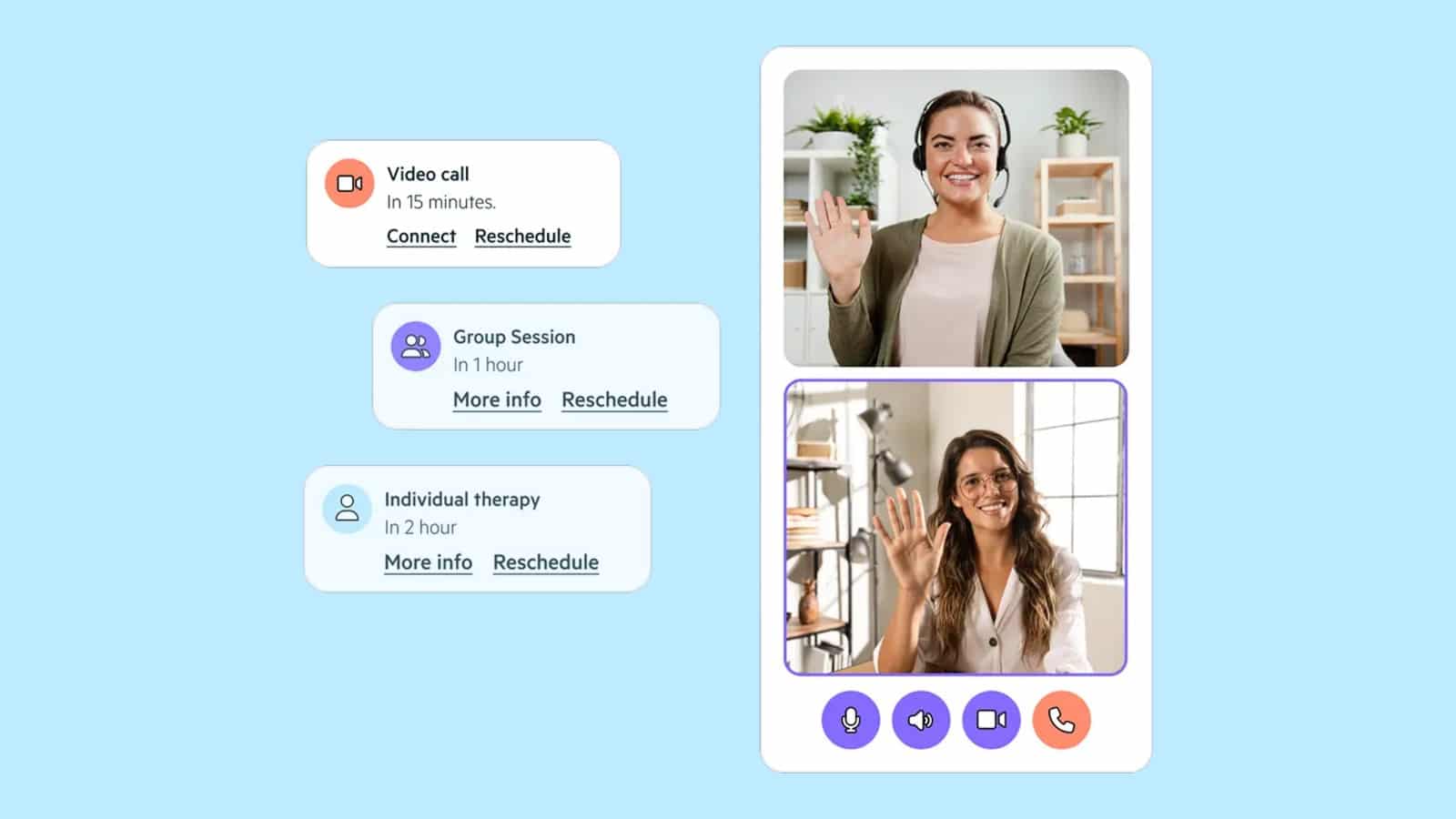
The best HIPAA-compliant telehealth platform for a behavioral health program depends on three things: whether the vendor signs a Business Associate Agreement (BAA), how deeply video connects to documentation and billing, and whether it fits your program size. Platforms with telehealth built into a behavioral health EHR remove the extra logins and duplicate entry that standalone video tools leave behind.
We compare eight platforms for U.S. behavioral health providers, from solo therapists to multi-location treatment centers. HIPAA (the Health Insurance Portability and Accountability Act) sets the federal rules for protecting patient health information, and every platform here is judged against them.
TL;DR: No BAA, no deal. Treatment centers get the most from telehealth built into their EHR, like Alleva. Solo clinicians can start free with Doxy.me or VSee, which both sign BAAs on free plans. Ask every vendor how it will handle the DEA and Medicare telehealth deadlines at the end of 2026 and 2027.
Key takeaways
- Match the platform to your program: Multi-location treatment centers fit an all-in-one behavioral health platform like Alleva; insurance-billing group practices fit TherapyNotes; solo and small practices fit SimplePractice or Doxy.me.
- No BAA, no PHI: Since HHS ended its telehealth enforcement discretion on August 9, 2023, any vendor that handles protected health information (PHI) must sign a BAA.
- Video alone is not a workflow: Standalone video tools such as Zoom for Healthcare need a separate EHR for notes, claims and audit trails.
- Price by model, not sticker: Published plans run from free tiers to about $100 a month for a single clinician; implementation, integrations and training drive the larger costs.
- Plan around the 2026 to 2027 deadlines: DEA teleprescribing flexibilities run through December 31, 2026, and Medicare telehealth flexibilities through December 31, 2027.
- Pilot before you sign: Run a 2 to 6 week pilot with a small clinician group and test BAA scope, audit-log export and the visit-to-claim flow.
Want to see video sessions, notes and billing in one system? See Alleva in Action with a walkthrough built around your programs.
What is HIPAA-compliant telehealth software for behavioral health?
HIPAA-compliant telehealth software for behavioral health protects virtual care and the clinical workflows used by mental health and addiction providers. It secures video visits and links clinical documentation to scheduling and billing while preserving auditable trails for compliance.
Core jobs this software performs:
- Secure video for clinician-controlled teletherapy sessions.
- Consent capture and teletherapy documentation with timestamps.
- Group session support, attendance logs, and per-participant consent.
- Scheduling and digital intake with reminders and eligibility checks.
- Electronic Health Record (EHR) / Electronic Medical Record (EMR) and revenue cycle management (RCM) integration to sync notes and claims.
- Audit logs and export tools for CARF (Commission on Accreditation of Rehabilitation Facilities), The Joint Commission, and state reviews.
Telehealth overlaps heavily with the clinical record; see what EMR software covers for the rest of the stack.
Best HIPAA-compliant telehealth platforms for behavioral health (2026)
| Platform | Best for | BAA | Behavioral health workflow depth | Pricing model |
|---|---|---|---|---|
| Alleva | Treatment centers and multi-location behavioral health programs | Available on request | EHR/EMR, RCM, CRM, compliance (InCheck) and AI in one platform | Custom quote |
| SimplePractice | Solo clinicians and small practices | Available | Practice management with telehealth, notes and client portal | Published monthly tiers |
| TherapyNotes | Insurance-billing group practices | Available | Documentation-and-billing EHR with built-in telehealth | Published per-clinician pricing |
| Doxy.me | Low-cost teletherapy, community programs | Included on all plans | Video and waiting room; limited EHR connection | Free tier plus paid plans |
| Zoom for Healthcare | Enterprise video layer across many sites | Available on healthcare plans | Video only; pairs with an EHR | Custom quote |
| TheraPlatform | Teletherapy and multidisciplinary teams | Included at no extra charge | Telehealth-first EHR across therapy disciplines | Published monthly tiers |
| VSee | Low-bandwidth telepsychiatry | Signed on all clinic plans | Video clinic with intake and waiting rooms; claims on Enterprise only | Free tier plus per-provider plans |
| Mend | Patient engagement and scheduling | HIPAA compliant; request BAA in contract | Engagement layer inside your EHR; not an EHR | Custom quote |
1. ALLEVA: Best for treatment centers and multi-location behavioral health programs
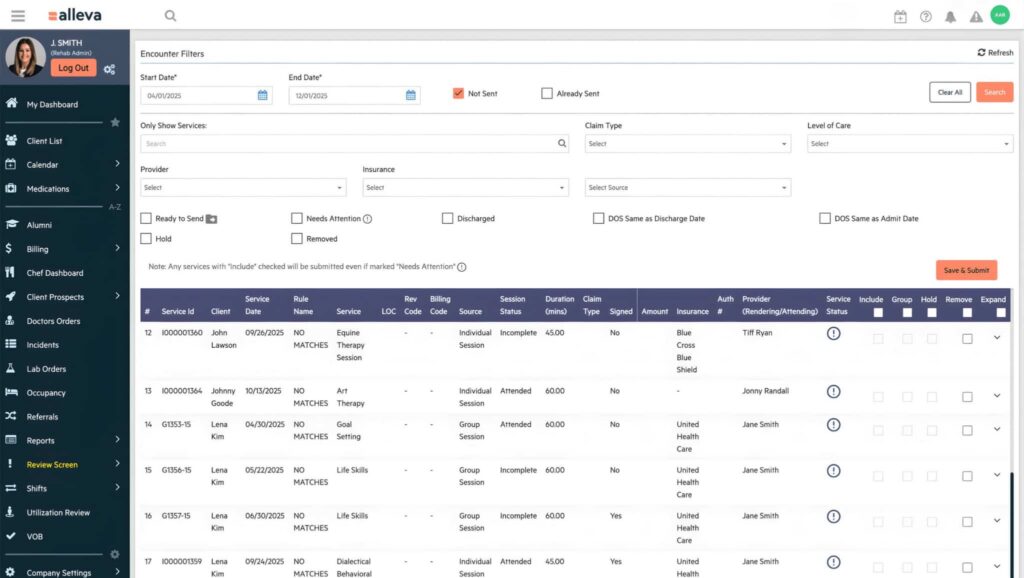
Alleva is an all-in-one operations platform built exclusively for behavioral health, combining EHR/EMR, revenue cycle management (RCM), CRM, compliance and AI tools. Telehealth is built in, so clients join video sessions with one click, with no third-party app or separate login.
Because sessions live in the same system as the record, scheduling, reminders and documentation stay connected. Billing through Alleva Billing for behavioral health RCM syncs with notes and scheduling, and verification of benefits runs through a built-in Waystar integration.
Alleva holds SOC 2 Type II and ONC certification, is HIPAA compliant, and publishes its security documentation on the Alleva trust center. A BAA is available on request.
Pricing: Custom quote
Key features:
- Built-in telehealth for individual, group and family sessions
- Client portal and mobile app for upcoming sessions, secure messaging and goal tracking
- Automated scheduling and reminders, branded to your organization
- Echo, HIPAA-compliant ambient AI that drafts audit-ready DAP, SOAP and UR notes, part of Alleva Intelligence’s documentation tools
- Integrated billing with claim rules, automated ERA posting and self-service VOB powered by Waystar
- InCheck compliance management for behavioral health, built around CARF, Joint Commission and state requirements
- Open API and integrations, including Salesforce and CollaborateMD
Pros:
- Built only for behavioral health, across detox, residential, PHP and IOP/OP
- One system from inquiry and admissions through discharge
- Hands-on onboarding and data migration support for EMR switches
Cons:
- Pricing is not published
- More platform than a solo clinician who only needs video
- Setup takes longer than a video-only tool
Client proof: In a published case study, Warriors Heart reported a 30% reduction in documentation time, a 15% improvement in claim accuracy and a 25% improvement in medical-necessity documentation after adopting Echo.
2. SimplePractice: Best for solo therapists and small practices
SimplePractice is a practice-management platform aimed at solo clinicians and very small groups. It bundles scheduling, telehealth, documentation, and a client portal so a single vendor handles most front-end and clinical workflows.
The platform offers built-in secure video, intake forms, e-signatures, and superbills for private-pay workflows. It provides a clinician-friendly mobile app and client-facing tools that reduce administrative steps for one-person practices.
Pricing: Published monthly tiers; check the vendor’s pricing page for current rates.
Key features:
- Integrated telehealth video and secure messaging.
- Intake forms, e-signatures, and client portal.
- Progress notes, treatment plans, and templates.
- Scheduling, reminders, and payment capture.
Pros:
- Unified workflow reduces tool count for solo clinicians.
- Intuitive, mobile-friendly clinician and client apps.
- Good client-facing experience with portal and forms.
Cons:
- Less mature electronic data interchange (EDI) and claims tooling for insurer-heavy practices.
- Advanced RCM often requires third-party partners or add-ons.
- Pricing tiers and feature gates change, so verify current plans.
3. TherapyNotes: Best for insurance-billing group practices
TherapyNotes centers practice management around documentation and insurer billing. It suits multi-provider group practices that need built-in claims workflows and session modifiers.
TherapyNotes includes claims submission, electronic remittance advice (ERA) handling, superbill generation, and multi-provider scheduling. Its telehealth video is part of the platform, but the main differentiator is payer-focused billing and practice reporting.
Pricing: Published per-clinician monthly pricing.
Key features:
- Claims submission and electronic remittance handling.
- Superbill generation and session modifiers.
- Multi-provider scheduling and reporting.
- Progress-note templates and intake forms.
Pros:
- Payer-focused workflows for insurance-heavy practices.
- Scales for multi-provider teams and group workflows.
- Consolidates scheduling, notes, and billing.
Cons:
- Telehealth is functional but not video-first.
- Less emphasis on enterprise-grade audit or compliance toolkits.
- Add-ons and per-user costs can accumulate.
For a deeper look at documentation-first tools, see our comparison of therapy notes software.
4. Doxy.me: Best for free and low-cost teletherapy
Doxy.me is a browser-based, low-cost teletherapy option with a free tier for clinics on tight budgets. It requires minimal setup and works well where quick deployment and low training overhead matter.
Doxy.me gives every user a free BAA, including on its free plan, and practices with more than one provider can request a clinic BAA. Native EHR and RCM integrations are limited. For small clinics, community programs, or public-health outreach, it lowers the barrier to launching teletherapy.
Pricing: Free tier; paid upgrades available.
Key features:
- Browser-based waiting rooms and one-click calls.
- Patient queue, secure messaging, and basic reporting.
- Simple appointment reminders and optional branding.
Pros:
- Very low-cost entry point with minimal training.
- Fast setup and minimal infrastructure needs.
- Good fit for solo clinicians and small clinics.
Cons:
- Limited native EHR and billing connectivity.
- Fewer enterprise admin controls and reporting than full EMRs.
5. Zoom for Healthcare: Best for an enterprise video layer across many sites
Zoom for Healthcare offers enterprise video, single sign-on (SSO), centralized admin controls, and a BAA on its healthcare plans. It fits organizations whose priority is one scalable video layer across many sites.
Zoom provides high-concurrency sessions, breakout rooms, webinar support, and developer APIs. Zoom does not handle behavioral health notes or claims, so most organizations pair it with an EHR.
Pricing: Custom quote
Key features:
- Scalable video with admin dashboards and SSO support.
- Role-based controls, waiting rooms, and breakout rooms.
- Telehealth reporting and APIs for integrations.
Pros:
- Proven scalability and broad device support.
- Strong video performance and enterprise admin controls.
- BAA available on healthcare plans.
Cons:
- Requires integration work to connect to EHR and RCM systems.
- Not purpose-built for behavioral health documentation and billing.
- Enterprise configuration effort can be high.
6. TheraPlatform: Best for teletherapy across therapy disciplines
TheraPlatform is a telehealth-first EHR and practice-management platform for mental health, speech, occupational and physical therapists. Every plan includes unlimited HIPAA-compliant video, group sessions, scheduling, documentation and insurance billing.
Its video room adds an interactive whiteboard, more than 30 built-in therapy apps, screen sharing and an observer mode for supervision. TheraPlatform signs a BAA at no additional charge.
Pricing: Published monthly tiers.
Key features:
- Unlimited HIPAA-compliant video, including group sessions.
- Interactive whiteboard and 30+ built-in therapy apps.
- Customizable notes, treatment plans and outcome measures.
- Insurance billing with electronic claims and ERA posting.
Pros:
- Strong in-session tools for interactive teletherapy.
- Supports several therapy disciplines in one account.
- BAA included at no extra charge.
Cons:
- AI notes, recording and claims carry add-on or per-use fees.
- Built for outpatient practices, not multi-level treatment centers.
For group documentation guidance, see our guide to documenting group therapy sessions for audits.
7. VSee: Best for low-bandwidth telepsychiatry
VSee is built for low-bandwidth environments and telepsychiatry workflows. It aims to keep video usable at low speeds and to reconnect sessions where connectivity is unreliable.
VSee signs a BAA on its clinic plans, including the free tier. Eligibility checks and claims submission are available only on its Enterprise plan, so most behavioral health programs pair it with an EHR.
Pricing: Free tier; paid plans priced per provider per month; Enterprise by quote
Key features:
- Low-bandwidth video with adaptive quality.
- Waiting rooms, intake and a patient portal.
- Group video and SMS or email reminders on paid plans.
- Mobile and desktop apps.
Pros:
- Keeps sessions running in rural or low-connectivity settings.
- Streamlined experience for psychiatric workflows.
Cons:
- Billing and claims tools limited to the Enterprise plan.
- Multi-provider clinics need Premium or Enterprise plans.
8. Mend: Best for patient engagement and scheduling
Mend is a patient engagement and scheduling platform for behavioral health, built for CCBHCs, CMHCs, FQHCs and outpatient programs. It works inside your existing EHR rather than replacing it.
Its products cover self-scheduling, reminders, digital intake and no-show prediction, with analytics included. Video visits are not the center of the product, so confirm your telehealth needs in a demo.
Pricing: Custom quote
Key features:
- Automated appointment reminders and confirmations.
- SMS outreach and digital intake without a patient portal.
- Website self-scheduling and a smart waitlist.
- No-show risk scoring and utilization analytics.
Pros:
- Reminder and messaging tools aimed at reducing no-shows.
- Works inside the EHR, with no second login for staff.
- Works well as a front-end engagement layer.
Cons:
- Not a replacement for a full EMR for billing and clinical records.
- Quote-based pricing tied to organization size.
How we evaluated HIPAA-compliant telehealth platforms
We reviewed vendor trust and security pages, product documentation, published user reviews on third-party software directories, and primary guidance from HHS. Research reflects the market as of October 2026.
Evaluation criteria (weights):
- Security and HIPAA controls: 30% (encryption, BAAs, SSO, audit logs).
- Behavioral health workflows and group therapy support: 25% (consent, attendance, templates).
- EHR/RCM integration: 20% (encounter mapping, claims workflows).
- Audit readiness and exportability: 10% (exportable logs, retention policies).
- Cost and implementation: 10% (licensing model, migration effort).
- Support and training: 5% (onboarding and responsiveness).
Disclosure: Alleva publishes this guide and is one of the platforms reviewed. We placed Alleva first for treatment centers and multi-location programs because that is the audience it is built for; for other buyer types, the “best for” labels point to other platforms.
What to look for in a HIPAA-compliant telehealth platform
Prioritize features that map to behavioral health operations and audit readiness. Ask vendors for demos that show your exact workflows.
1. Security and BAA
Ask for a signed Business Associate Agreement and written security controls. Verify encryption in transit and at rest, role-based access, multi-factor authentication (MFA), detailed logging, and breach-notification timelines.
Question to ask: “Can you provide your standard BAA and your latest SOC 2 (System and Organization Controls) report or equivalent?” Our EMR HIPAA compliance checklist covers the controls to verify.
The HHS guidance on HIPAA rules for telehealth technology explains why a platform without a BAA is not compliant for patient care.
2. EHR/EMR and RCM integrations
Look for HL7 (Health Level Seven), FHIR (Fast Healthcare Interoperability Resources) or REST APIs that sync scheduling, notes, and billing. Ask for field mappings and a demo showing a session turning into a claim-ready record.
Question to ask: “Can you show a mapping example and an encounter-to-claim workflow?”
3. Group therapy features
Confirm per-participant consent capture, attendance rosters, and participant-level notes. Verify export formats for billing and accreditation evidence, or see group therapy platforms compared side by side.
Question to ask: “How do you record and export group attendance and consent for audits?”
4. Documentation templates and progress-note workflows
Verify configurable templates (SOAP, DAP), mandatory-field enforcement, e-signatures, and note locking with timestamps. Ask to see a clinician complete, sign, and lock a note in a demo.
Question to ask: “Can you show a workflow where a note is finalized, signed, and locked?”
5. Audit trails, exportability and retention
Require logs that show who did what and when, protected from editing, plus bulk export in readable formats. Learn how an EMR audit trail works before you evaluate vendors.
Question to ask: “Can you produce a sample CSV or JSON audit export that links user actions to record IDs?”
6. Multi-location and enterprise controls
Look for centralized admin controls, organization hierarchies, SAML (Security Assertion Markup Language) or OIDC (OpenID Connect) single sign-on, SCIM (System for Cross-domain Identity Management) provisioning, and delegated admin roles. These reduce user sprawl and keep permissions consistent.
Question to ask: “Do you support SCIM provisioning and organization-level reporting?”
7. Client experience and accessibility
Prioritize mobile-friendly video, low-bandwidth fallbacks, multilingual interfaces, and WCAG accessibility conformance. Ask about captioning or interpreter support in session.
Question to ask: “Do you provide an Accessibility Conformance Report and in-session captioning?”
8. Support and implementation services
Clarify migration scope, data mapping, clinician training cadence, and project management. Ask for escalation paths and go-live support commitments.
Question to ask: “What is the typical implementation timeline, and what training is included?”
How much does a HIPAA-compliant telehealth platform cost?
Most vendors price per clinician per month, per site, per session, or by module. Implementation, integrations and training often cost more than the first year’s license.
| Cost component | Typical structure | What to ask for in writing |
|---|---|---|
| License / subscription | Free tier, per clinician per month, or custom quote by program size | What counts as a billable user; which modules are included |
| Implementation and migration | One-time fee or bundled hours | Data mapping scope, test imports, go-live support |
| Training | Bundled sessions or per-seat | Role-based training and refresher cadence |
| Integrations / APIs | Included, per-connector or custom development | API access, maintenance and who owns failures |
| Payment processing | Card processor rates plus any vendor fee | Who processes copays and the per-transaction rate |
| Telehealth usage | Included or per-session | Session minutes, group size limits, recording storage |
| Hardware | One-time purchase | Cameras, headsets, secured shared devices |
Budgeting tips:
- Split costs into upfront and recurring, and require line-item quotes.
- Ask for behavioral health references and written commitments on uptime and data handling.
- Align vendor billing logic with payer rules and your program types.
How to implement a HIPAA-compliant telehealth solution
Start by assembling clinical, privacy, billing and IT leads, inventorying every tool that touches protected health information (PHI), and mapping data flows from intake to claims.
1. Build the team and set timelines
Include a clinical director, privacy or security lead, billing lead, and IT admin. Small practices commonly stand up telehealth in 1 to 4 weeks; multi-site rollouts commonly take 2 to 6 months, depending on integrations.
2. Inventory tools and replace non-HIPAA solutions
List every app handling PHI, and replace any tool whose vendor will not sign a BAA. Map fields before importing records; our guide to EMR migration planning for behavioral health walks through the sequence.
3. Run a telehealth-specific HIPAA risk assessment
Document video, recording, notes, and third-party data flows. Verify transport encryption, at-rest encryption, role-based access, and logging, and confirm the BAA scope and log retention.
4. Configure integrations and run a pilot
Stage integrations in a test environment, run pilot sessions with staff, and validate end-to-end workflows. Common derailers are incomplete BAAs, unmapped EHR fields, and thin staff training.
5. Train clinicians and document encounters
Train clinicians on consent, privacy expectations, and logging technical issues. Give them one telehealth note template so every session captures the same fields.
6. Validate before cutover
Run test sessions for audio and video quality, export and check audit logs, and confirm payer acceptance for telehealth codes.
Telehealth compliance deadlines for 2026 and 2027: what your platform must handle
Six federal dates shape how behavioral health telehealth works through 2028, and two have already passed. A platform worth buying should help you track each one, not leave it to a spreadsheet.
| Date | What changes | What to ask your telehealth vendor |
|---|---|---|
| Aug 9, 2023 (in effect) | HHS telehealth enforcement discretion ended; full HIPAA rules apply to every telehealth tool | Will you sign a BAA, and what does it cover? |
| Feb 16, 2026 (in effect) | 42 CFR Part 2 final rule compliance date; OCR now enforces Part 2 with HIPAA penalties | How do you track Part 2 consent and disclosures, and report breaches of SUD records? |
| Dec 31, 2026 | DEA telemedicine prescribing flexibilities expire unless extended again or replaced | How do you flag clients who still need an in-person evaluation? |
| July 2027 (projected) | HIPAA Security Rule update targeted for finalization; date is not binding | What is your roadmap for MFA, encryption and asset inventory requirements? |
| Dec 31, 2027 | Medicare telehealth flexibilities expire unless Congress extends them | Do you capture client location and place of service for every visit? |
| Jan 1, 2028 | Medicare in-person visit requirement for tele-mental health is set to resume | Can you report the last in-person visit date per client? |
Part 2 is now enforced like HIPAA. Compliance with the 2024 Part 2 final rule was required by February 16, 2026, and OCR now enforces it with HIPAA-level penalties. The rule allows a single consent for treatment, payment and operations and applies HIPAA breach notification to SUD records, so your platform needs consent and disclosure tracking that holds up in an audit.
Teleprescribing has a hard date. The DEA’s fourth temporary extension lets prescribers issue controlled substances by telemedicine without a prior in-person exam through December 31, 2026. Programs that rely on telepsychiatry should confirm how their e-prescribing system will handle a lapse or a new special registration rule.
Medicare is stable through 2027, then uncertain. The Consolidated Appropriations Act, 2026, signed February 3, 2026, extended Medicare telehealth flexibilities through December 31, 2027. The in-person requirement for tele-mental health stays suspended until January 1, 2028.
The Security Rule update is still a proposal. OCR proposed major Security Rule changes on January 6, 2025, and the latest regulatory agenda points to finalization in July 2027. Until then, the current Security Rule applies.
BAA priorities to negotiate:
- Subcontractor flow-down and a named sub-processor list.
- Breach-notification timelines and escalation steps.
- Audit-log access on request, with delivery timelines.
- Data return or destruction at termination.
- A current SOC 2 Type II report or equivalent.
Integrating telehealth with behavioral health EHRs and billing
Plan authentication, data exchange and data models first, then map encounter details into the EHR and billing system so claims and records stay aligned.
Plan authentication and identity
Use single sign-on and centralized identity controls. Require event-level audit logging and penetration-test attestations from the vendor.
Choose how data moves: APIs, HL7/FHIR, or SFTP
Prefer REST APIs or HL7/FHIR for near-real-time sync, and use encrypted SFTP with reconciliation logs for bulk transfers. Our overview of behavioral health EHR integration patterns covers the trade-offs.
Map encounter details into the EHR and billing
Map encounter ID, provider National Provider Identifier (NPI), session type, duration, place of service, consent flag, and recording indicator. Tag encounters with the right telehealth modifiers and keep a claim-to-encounter link for appeals.
E-prescribing and controlled substances
Confirm Prescription Drug Monitoring Program (PDMP) checks, pharmacy gateway support, and clinician identity proofing. Log every prescription against its encounter, and plan for the DEA deadline in the compliance calendar above.
Billing rules, payer workflows, and verification of benefits
Keep a payer-rule table for modifiers, place-of-service codes, and originating-site requirements. Our guide to telehealth CPT codes, modifiers and claims workflow covers the billing detail.
FAQs about HIPAA-compliant telehealth platforms
Is Zoom HIPAA compliant for teletherapy?
Zoom can support HIPAA-compliant teletherapy when you use a Zoom healthcare plan under a signed BAA and configure it correctly. Free and standard consumer plans do not include a BAA.
Do I need a Business Associate Agreement with my telehealth vendor?
Yes. If you are a HIPAA covered entity and the vendor creates, receives, maintains or transmits PHI for you, a signed BAA is required. The HHS Office for Civil Rights guidance on business associates explains what the agreement must cover.
What is HIPAA-compliant video conferencing for therapists?
It is video software that encrypts sessions, limits access to authorized users, logs activity and comes with a signed BAA. Compliance also depends on how you use it: private rooms, waiting rooms, unique session links and documented consent.
Are free telehealth platforms safe for behavioral health care?
They can work for low-volume, private-pay practices if the vendor signs a BAA on the free plan. Most free tiers lack EHR, billing and audit-export features, so programs that bill insurance or face accreditation surveys usually outgrow them.
Can audio-only telehealth be HIPAA compliant?
Yes, when the technology is covered by a BAA and you apply reasonable safeguards. HHS guidance from 2022 explains when audio-only tools fall under the Security Rule. Medicare and other payers set their own audio-only rules, so document modality and consent for every visit.
Will Medicare keep paying for behavioral health telehealth after 2027?
Mental health telehealth to clients at home is a permanent Medicare benefit. The catch is the in-person visit requirement, which is scheduled to return on January 1, 2028 unless Congress delays it again. Track each client’s last in-person visit now.
Can telehealth sessions count toward a Medicare IOP per diem?
No. The Medicare intensive outpatient program (IOP) per diem is not payable as telehealth, so remote sessions cannot count toward it. Our guide to Medicare IOP billing rules covers the claim requirements in detail.
How should I document a teletherapy session?
Record the modality, client and clinician locations, informed consent, participants, start and end times, clinical content and the billing codes or modifiers used. Standardized templates help every clinician capture the same fields.
Choosing a telehealth platform for your behavioral health program
Solo clinicians and small practices can start with a lighter tool, as long as the vendor signs a BAA. For treatment centers and multi-location programs, video is the easy part. The hard part is keeping every session tied to its note, its claim and its audit trail.
Alleva was built for exactly that workflow. In a demo, we’ll walk your team through a telehealth session from scheduling to signed note to billing, using your own programs, payers and accreditation needs. You’ll see what fits, and what doesn’t, before you commit to anything.
Prefer to talk it through first? Call us at (877) 425-5382.
This guide is general information about software selection, not legal, billing or compliance advice. Telehealth rules change often; confirm current requirements with your counsel, your payers and the agencies cited before making decisions.

Kayla Briones is Sr. Product Marketing Manager at Alleva.